Savings goals
A savings goal is an amount you are working towards, and a way of watching whether you will get there in time. A budget puts a ceiling on spending; a goal puts a floor under saving.
Two kinds of goal
When you create a goal you pick its Type:
- One-off (with a target) — one amount to reach, such as a deposit for a flat, with an optional date. Most of this page is about these.
- Monthly (recurring) — an amount to put aside every month, such as "save 300 a month" or "save 20% of what I earn". Each month is judged on its own. See Monthly goals.
Both kinds are a label underneath, and the rules for linking transactions and for which way a transaction counts are the same for both. The kind is fixed once the goal exists: to switch, create a new goal.
Quick start
- Open Planning, press Create and choose Savings Goal.
- Leave the type on One-off, name it, set the amount you are aiming for, and pick a date if you have one.
- Tell it what you had already put aside, if anything.
- Link the transactions that fund it.
- Come back and see whether you are ahead or behind.
How a goal counts
A goal is a label
Creating a goal creates a label with the same name, and the goal tracks whatever carries it. That is the whole mechanism, and it is why goals need so little setting up: labelling is something you already do.
The label belongs to the goal, so it does not clutter your label settings and cannot be renamed out from under the goal. Renaming the goal renames it. You also cannot create a goal with the name of a label you already have — pick another name, or use a budget if that label is already doing this job.
Linking transactions
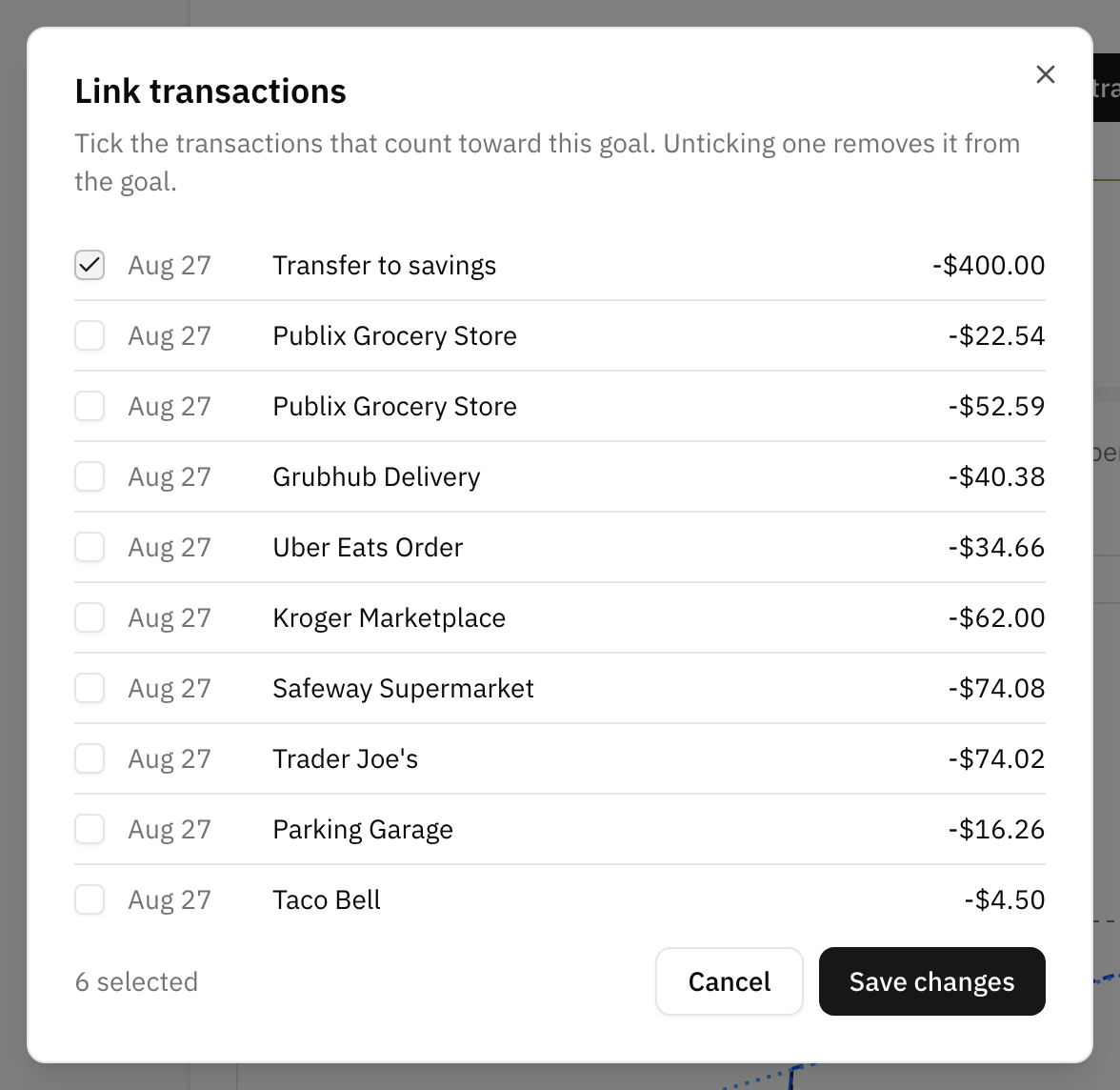
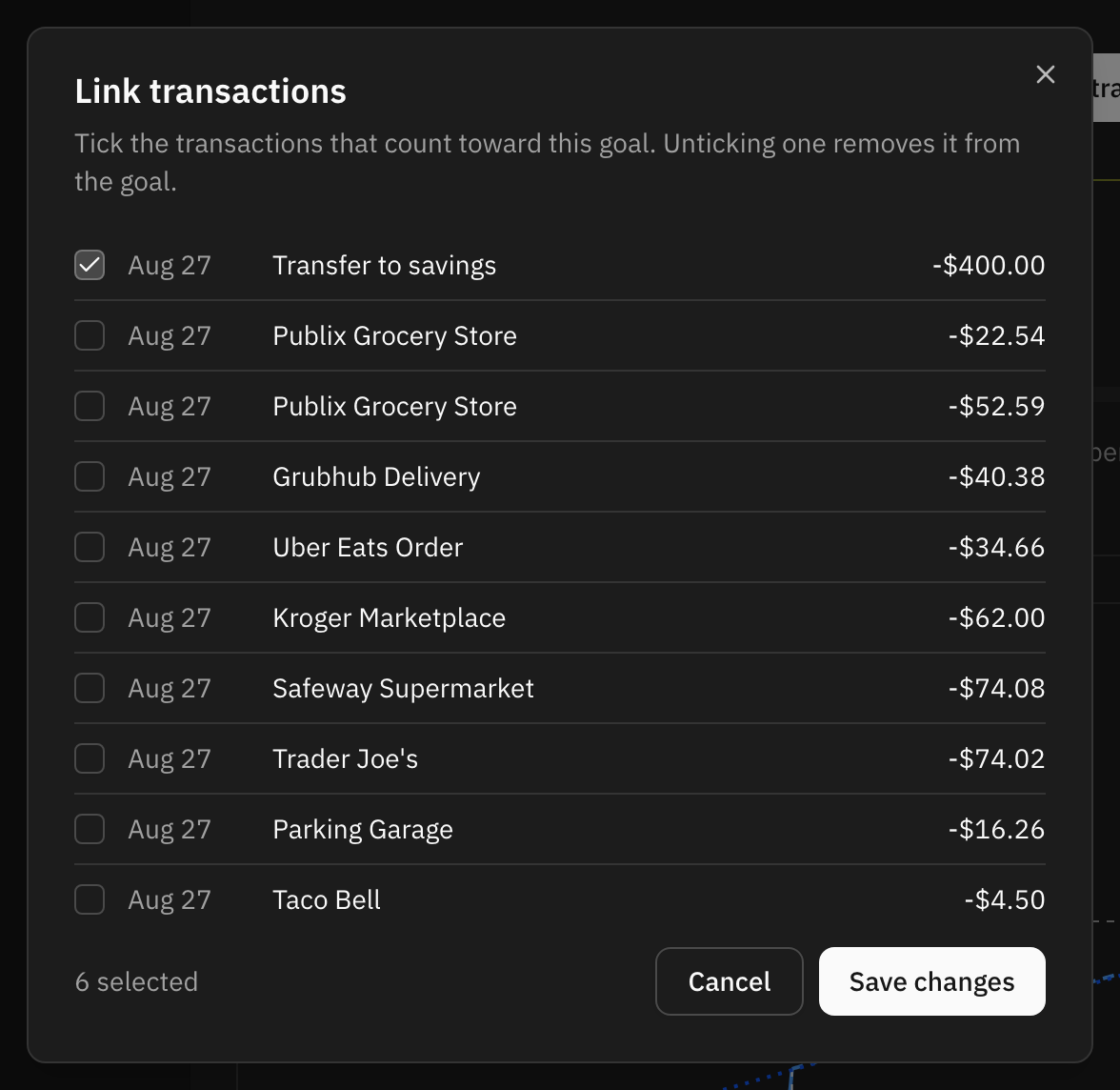
Link transactions shows everything already tagged, plus a window of your recent transactions, and you tick the ones that funded the goal. What you leave ticked when you save is the complete set — unticking one takes it back out.
The window starts at your fifty most recent transactions and widens as you ask for more. If what you are looking for is further back than that, tag it from the transaction list instead: the goal's label is there like any other, and bulk actions can tag a whole group at once.
Letting a rule do it
An automation rule can also attach the label, which is the least effort of all when the same standing order funds the goal every month. One rule keyed on the savings account files everything that lands in it, the history included, and every transfer from then on arrives already counted.
Which way a transaction counts
This is the one part worth reading slowly, because the sign depends on the account the transaction is in.
On a savings account, the money arriving is the saving. A 500 deposit into your savings account adds 500 to the goal. Taking 200 back out subtracts 200.
On any other account, the money leaving is the saving. A 500 transfer out of your current account is what funded the goal, so it adds 500. Money coming back the other way subtracts.
Both read the same way round in the end: put money aside and the goal goes up, take it back and the goal goes down. You just do not have to think about which side of the transfer you happened to tag.
What you should not do is tag both sides. A transfer from current account to savings is two transactions, and each of them counts as a contribution on its own terms, so tagging the pair counts the same 500 twice. Tag the leg you think of as the saving and leave the other one alone.
What you had already saved
Most goals do not start from zero. The already saved amount is what was in the pot on the day you created the goal, and it counts towards the total without you having to hunt down years of old transfers.
It is deliberately left out of your saving pace: it was there on day one, so counting it would read as an enormous daily rate and project you finished by next week. Only what you have added since sets the pace. You can adjust the figure later if you got it wrong.
Reading the progress
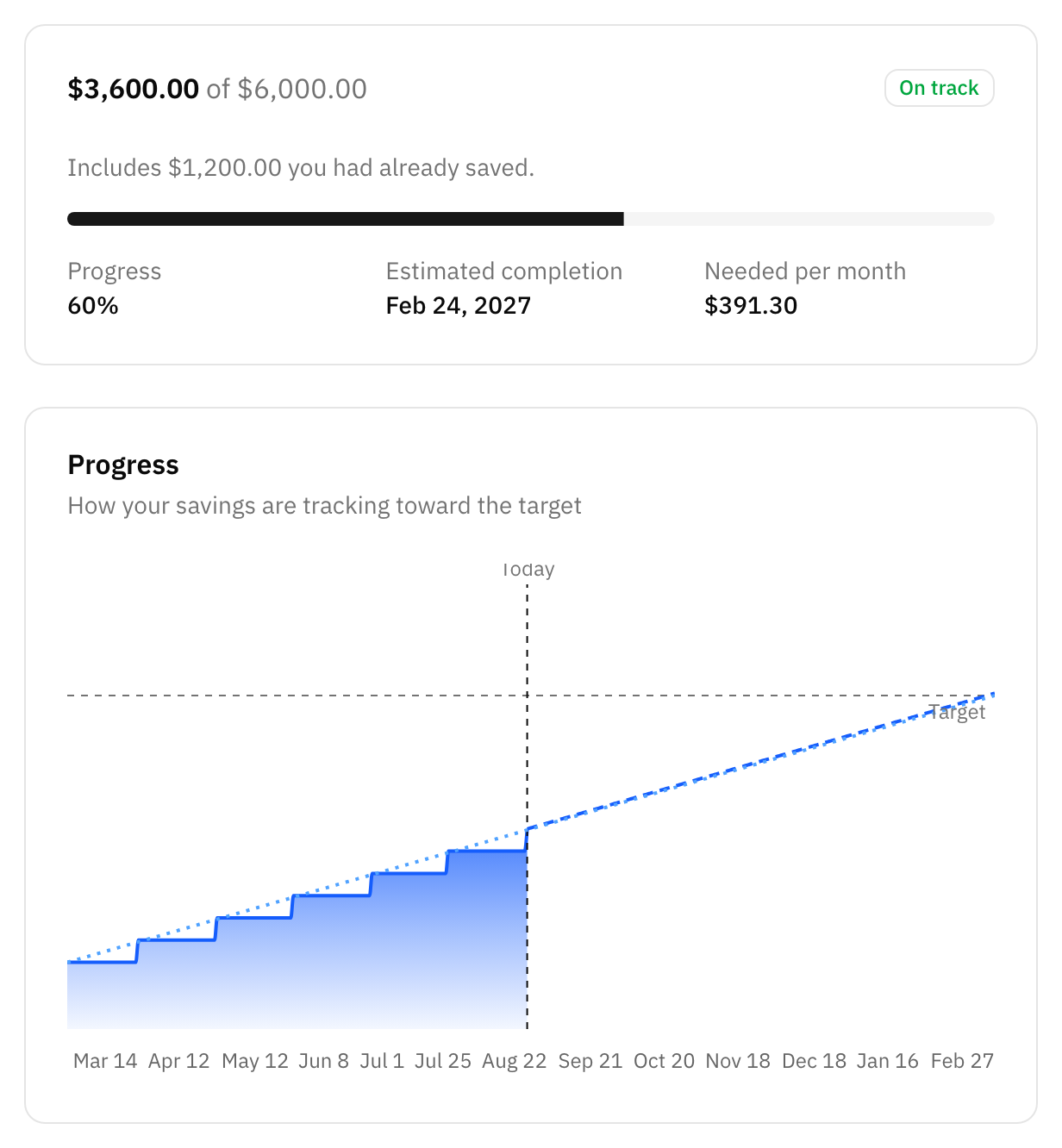
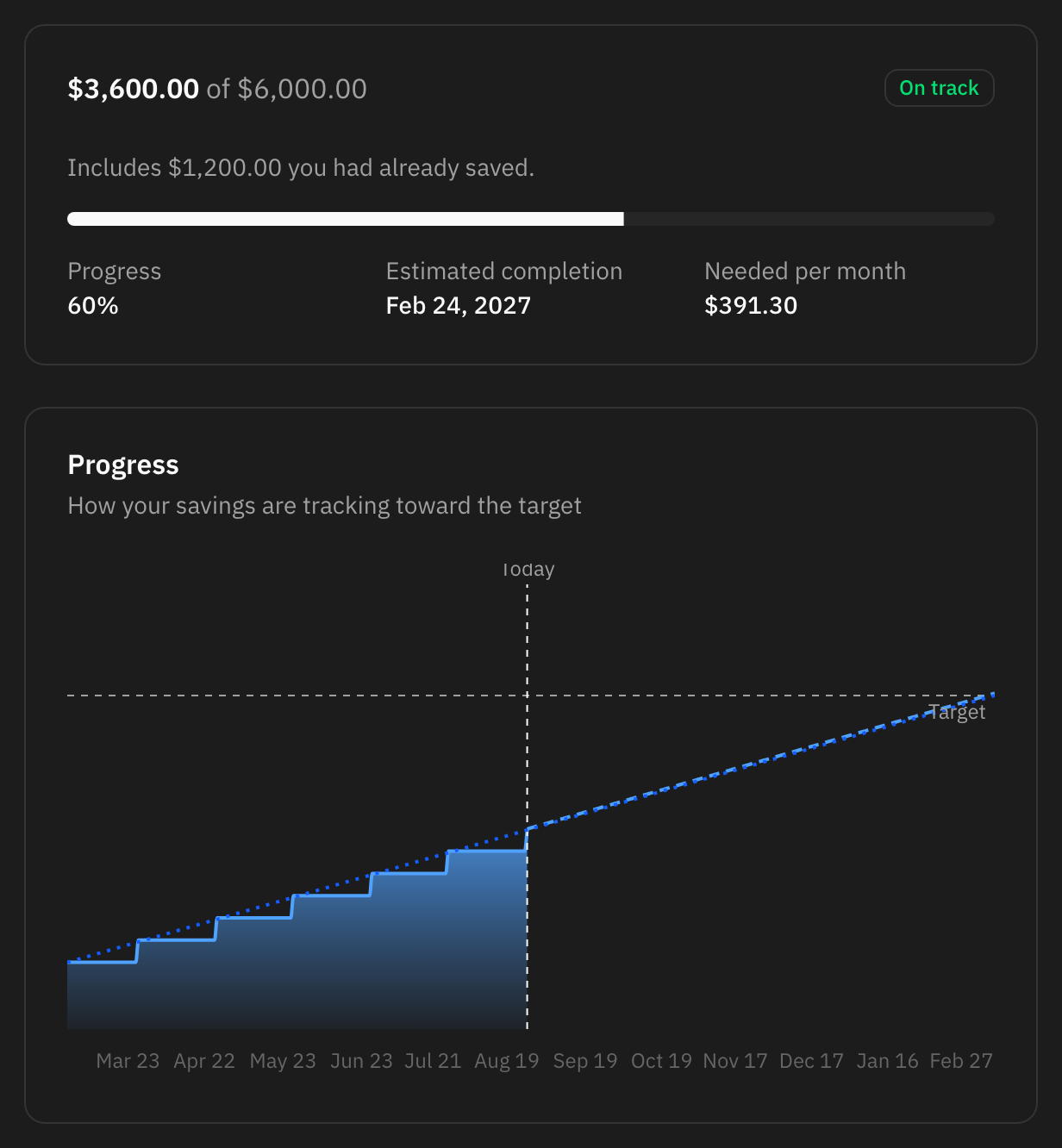
The card at the top is where you stand. Underneath it, the chart draws what you have actually saved against the straight line the plan would need, and continues your current pace as a dotted line so you can see where it lands.
When the goal has a target date, it also tells you:
- Where you should be today. The point on that straight line, from what you had already saved to the target, for today's date.
- Ahead, on track or behind. How your real total compares with that point. There is a small tolerance either side, so a few coins do not flip the badge.
- What you need per month. What is left, spread over the days remaining.
Without a target date you still get the total, the percentage, and an estimated completion date based on the pace you have kept so far.
Your pace is measured from the earlier of the day you created the goal and your oldest linked transaction. That matters when you tag savings you had already made: the elapsed time comes with them, so the goal does not report a pace you never actually kept.
Goals and budgets together
Goals sit next to budgets under Planning, and the list can be filtered to one or the other. Monthly goals have their own Monthly savings section above the list; the Budgets filter hides it. They are complementary rather than alternatives: a budget tells you how much room is left this month, a goal tells you how far along you are overall.
A goal card fills up as you save. A budget card drains as you spend. That is how you tell them apart at a glance in a mixed list.
Finishing a goal
When a goal is done — or when you have given up on it — archive it. That puts it away without deleting anything, and it is worth knowing exactly what it does, because archiving cannot be undone:
- The amount saved is frozen at whatever it is that day, whatever happens to those transactions afterwards.
- The goal's label goes away. The transactions that carried it keep their history but stop showing it, and the label can never be picked again.
- Any automation rule that was attaching that label stops attaching it.
- You can no longer edit the goal or link more transactions to it. You can still open it and look at what you saved.
Deleting a goal is the other option: it removes the goal and its label entirely, and nothing is kept. The transactions are untouched either way — neither archiving nor deleting a goal changes a single amount, date or category.
Monthly goals
A monthly goal is for the saving you do every month rather than towards one date: "put 300 aside each month", or "save 20% of what comes in". There is no total to reach and no end date. Every calendar month gets its own target and its own verdict, and the goal keeps the score: months met, streaks, and how far ahead or behind you are overall.
Creating one
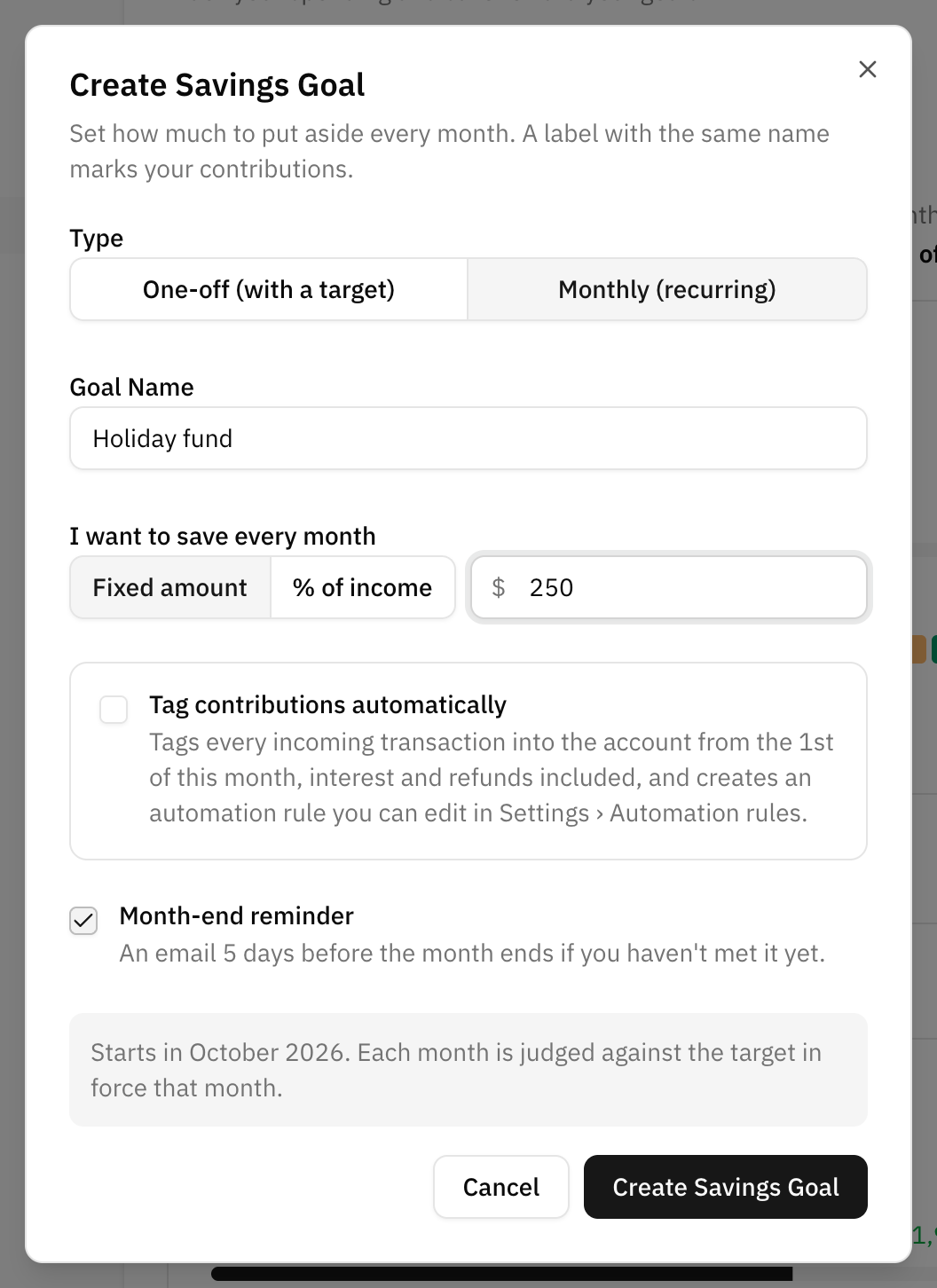
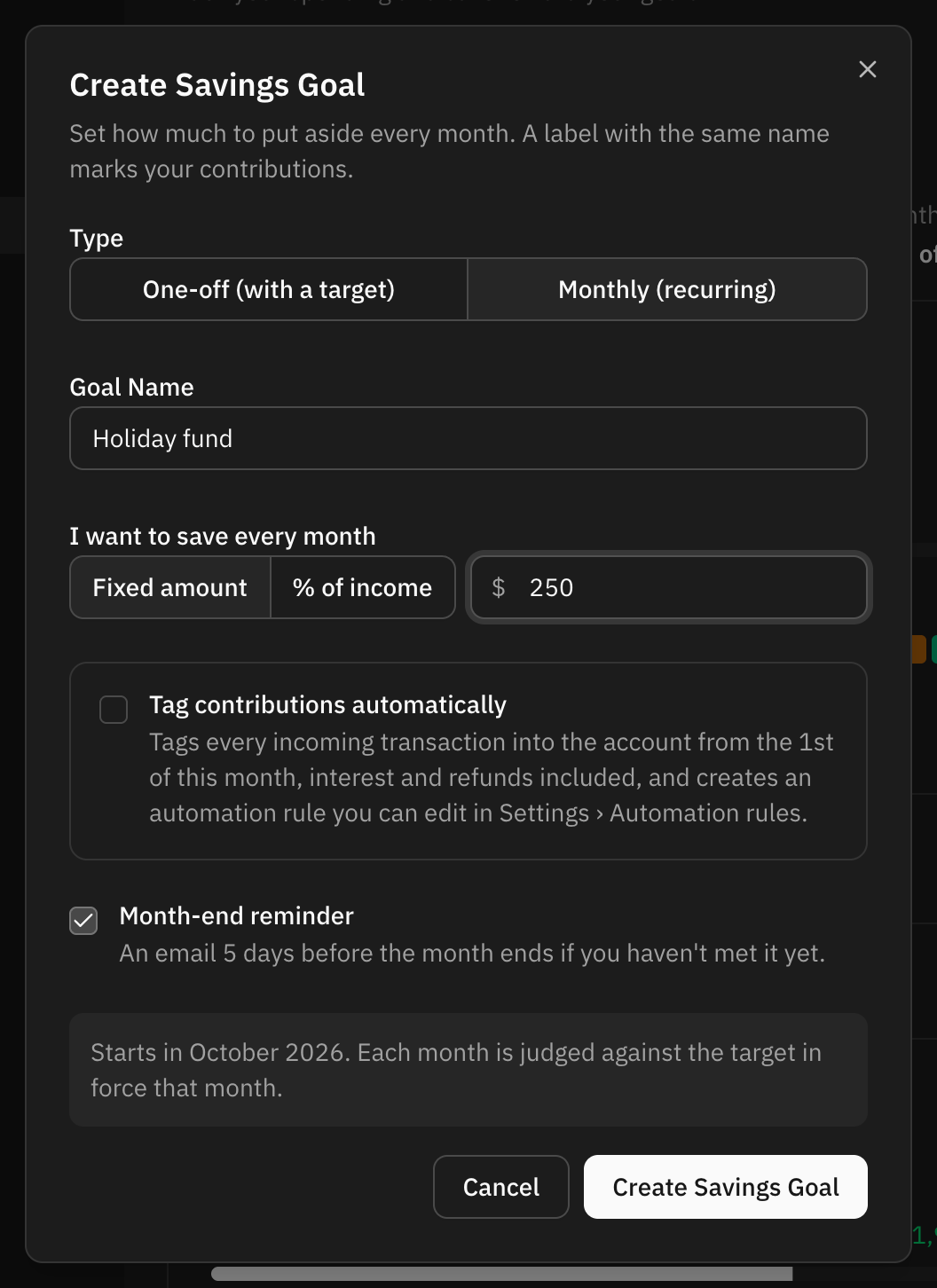
- Open Planning, press Create and choose Savings Goal.
- Set the type to Monthly (recurring) and name the goal.
- Under I want to save every month, pick Fixed amount or % of income and fill in the figure.
- Optionally tick Tag contributions automatically and pick the savings account the money goes into.
- Leave Month-end reminder on if you want an email when a month is running out and the goal is not met yet.
The goal starts with the current month. Like a one-off goal, it gets a label with its own name, and whatever carries that label counts as saved in the month of the transaction's date. There is no "already saved" figure: a monthly goal starts from zero every month.
The target: a fixed amount or a share of income
Fixed amount is the simple one: the same figure every month.
% of income sets the target as a share of what you usually earn. Your usual income is the average monthly income of the three complete months before the one that is starting. It is worked out when the month opens and then frozen: income that lands during the month does not move that month's target. This is deliberate. Many people are paid at the end of the month, and a target built on the month's own income would read zero until payday.
- With less than three months of history, the average uses the months there are.
- With no complete month of income at all, the target follows the current month's income as it comes in, and freezes when the month ends. Until some income arrives the goal reads "the target grows as income comes in" instead of claiming the month is met.
Income here is what Cashflow counts as income.
How each month is judged
Each month stands alone. What you saved in a month is compared with that month's target, and nothing carries over: saving double in May does not cover June. A month ends in one of these states:
| Status | When |
|---|---|
| Met | The month is over and you saved at least its target. A target of zero is met. |
| Missed | The month is over and you saved less than its target. |
| In progress | The current month, unless it is partial or archived. You see what is saved, what is left, and the days remaining. |
| Partial month | You created the goal in the last five days of the month. It shows what you saved, with no target and no verdict. The first verdict comes next month. |
| Archived | You archived the goal during that month. Same as a partial month: what you saved, no verdict. |
Partial and archived months are left out of everything that adds months up: they neither extend nor break a streak, and they do not count in months met or in the overall figure.
Reading a monthly goal
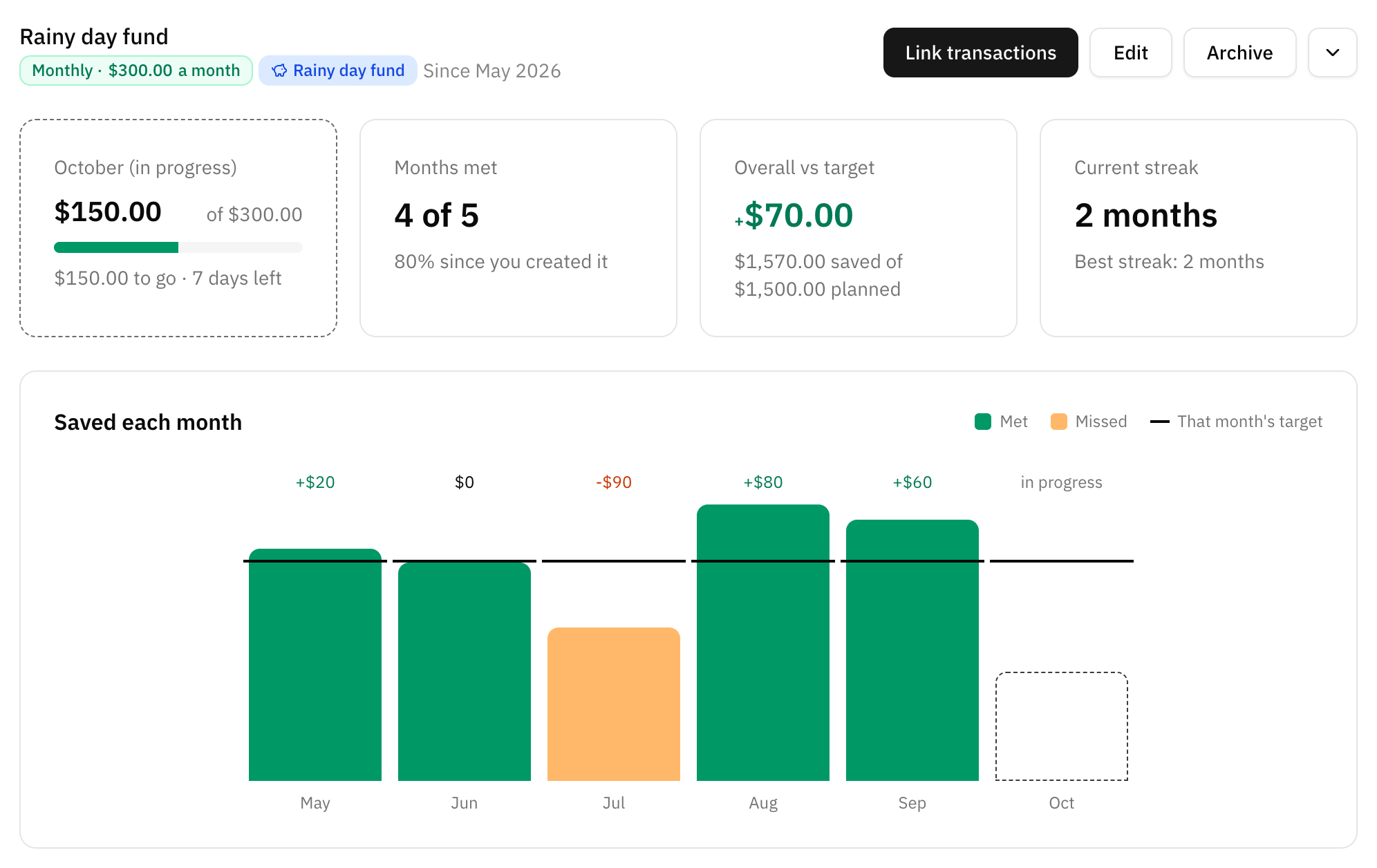
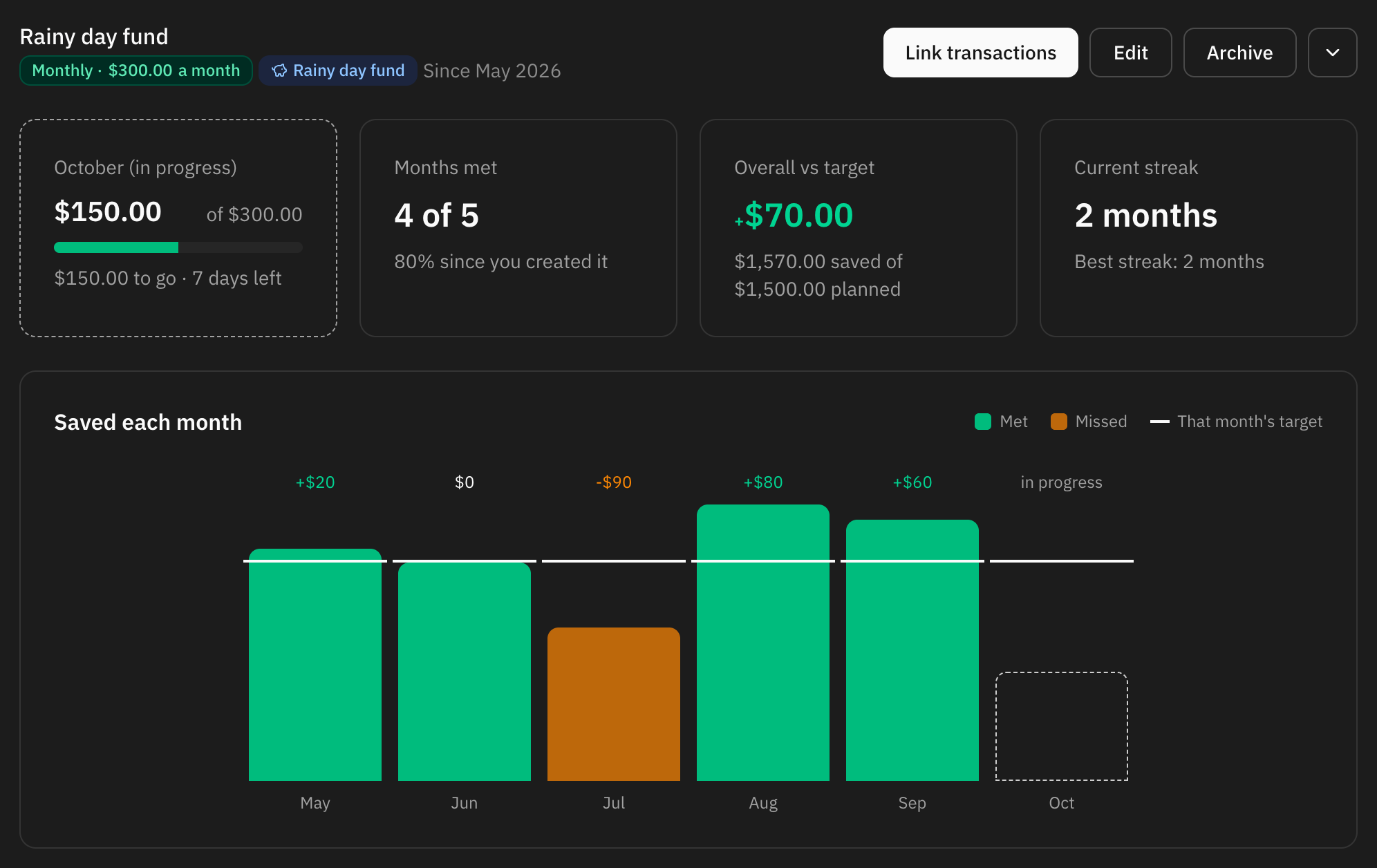
The goal's page shows:
- The month in progress — saved against the target, what is left and how many days remain.
- Months met — how many of the judged months were met, for example "4 of 5", and that as a percentage since you created the goal.
- Overall vs target — everything saved in the judged months against the sum of their targets, and the cumulative difference: how far ahead (+) or behind (−) of the plan you are in total.
- Current streak — consecutive met months up to the last one judged, with your best streak underneath.
- Saved each month — a bar per month against that month's target line, coloured by status.
- History — a table with each month's target, saved amount, difference and status. For a share-of-income target it also shows the income it was worked out from.
- Contributions — the transactions tagged in each month, with arrows to move between months.
A chip under the name shows the account the automatic tagging watches, if any.
Contributions that arrive late
What a month saved is never stored: it is added up from the tagged transactions every time you look. A transfer that syncs a few days late, or one you tag weeks afterwards, lands in the month of its own date, and that month's verdict is recalculated — even if the month has already closed. Only the target is frozen.
The notification for a closed month is the exception: it is a snapshot taken when the month closed, and it does not change afterwards.
Tagging contributions automatically
Tag contributions automatically creates an automation rule that adds the goal's label to every transaction coming into the savings account you pick. It is off by default. When you tick it:
- It also tags what already came into that account since the 1st of the current month, except transactions another goal already counts.
- It tags everything incoming — interest and refunds included — so if you only want some deposits to count, leave it off and link them by hand.
- Only savings accounts are offered, because on a savings account the money arriving is what counts as saved.
- A savings account can feed only one running monthly goal. Rules stop at the first one that matches, so a second goal on the same account would never see a transfer. Accounts already in use are greyed out with the name of the goal using them. Archiving that goal frees the account.
- The rule goes last in your rule order, so a rule you already have that matches the same transfers wins. In that case, link the contributions from the goal's page instead.
You can edit or delete the rule in Settings › Automation rules. The automatic tagging can only be set up when you create the goal. The rule recognises the account by its name and its bank's name, so if you rename the account, update the rule too.
Editing a monthly goal
You can rename the goal, change its target and turn the reminder on or off. The kind cannot change.
A new target applies from the current month on. Past months keep the target they were judged against, so raising the bar in August does not turn May into a miss. For a share-of-income goal, changing only the percentage keeps the income the month opened with and applies the new rate to it.
Notifications
- When a month closes, the bell gets a notice per goal: "Emergency fund: September goal met +120.00" or "missed −30.00", with "3 months in a row" when you are on a streak. Clicking it opens the goal. Only the month that has just ended is announced.
- Month-end reminder email. When five days are left in the month (today included) and a goal is still short of its target, you get one email listing every goal behind, with how far along each one is as a percentage. It carries no amounts. It is not sent for a partial month or while the target is still zero.
The reminder can be turned off per goal from the goal's edit dialog or from Settings › Notifications › Monthly savings goals, where you can also set the default for new monthly goals.
Where else monthly goals show up
- Dashboard — a Monthly savings card with this month across your running goals: saved against the sum of targets, days left, how many goals were met last month, and a line per goal.
- Cashflow — in the Month view, a card with what went to monthly goals that month against the sum of their targets, the difference against the plan, how many goals were met, and — when the month's net cashflow is positive — the share of it that went to them. See Cashflow.
- Monthly summary — the monthly summary report says how many monthly goals you met and by how much the furthest-off ones missed or beat their target. The email only shows the count.
These cards only appear once you have a monthly goal.
Archiving a monthly goal
Archiving works as for a one-off goal, with a few differences:
- The current month becomes an archived month: what you saved stays, with no verdict.
- Month-end reminders stop, and the goal's label comes off its automation rule. A rule that did nothing else is deleted.
- Every past month keeps its target and result, and you can still open the goal to look at its history.
Good goals
Emergency fund
A large target with no particular date.
Watch the pace rather than the deadline.
Deposit for a flat
A target and a date you actually mean.
The needed-per-month figure is the useful one here.
Next year's holiday
Funded by a standing order every month.
An automation rule can tag it for you.
New laptop
Small, quick, and easy to see finish.
Archive it when it is bought.
Save every month
A monthly goal with a fixed amount.
Let it tag the savings account for you.
Save a share of what you earn
A monthly goal at 10% or 20% of income.
The target moves with your pay, month by month.
Common mistakes
- Tagging both legs of a transfer. The same money is counted twice. Tag one side.
- Putting the money you already had into the linked transactions instead of the starting amount. It works, but it distorts the pace and the projection.
- Archiving to tidy up. Archiving is one-way and takes the label with it. If you might come back to the goal, leave it alone.
- Pointing two monthly goals at the same savings account. Only one running goal can tag an account automatically. Split the saving into separate accounts, or link the second goal's contributions by hand.
- Expecting a good month to cover a bad one. Monthly goals have no carry-over. The cumulative difference shows the overall picture; each month's verdict does not.
- Expecting a goal to move money. It reads your transactions, exactly like a budget does. Nothing is transferred anywhere.
FAQ
Does a savings goal move money between my accounts?
No. Nothing in Whisper Money moves money. A goal reads the transactions you tag and adds them up.
Why is my goal at zero when I have linked transactions?
Check the account the transactions are in. On a savings account the deposits count; anywhere else the payments out count. If you have tagged deposits into a current account, they are reading as money coming back out of the goal.
Can two goals track the same transaction?
Yes. A transaction can carry as many labels as you like, so it can contribute to more than one goal.
Does the goal's label show up in my label settings?
No. It belongs to the goal and is managed from there, so it stays out of the list in Settings → Labels.
Can I turn a one-off goal into a monthly one?
No. The kind is fixed when the goal is created. Create a monthly goal alongside it, or archive the old one first.
Why does my share-of-income target not change when my salary arrives?
Because it is built on the average of the three complete months before, and frozen when the month opens. This month's salary feeds next month's target. The exception is a goal with no complete month of income behind it yet: then the target follows this month's income until the month ends.
Why does the first month say "Partial month"?
You created the goal in the last five days of a month. Holding you to a whole month's target for a few days would be unfair, so that month shows what you saved without a verdict. The first verdict comes the month after.
I tagged a transfer from last month. Will it change last month's result?
Yes. A month's saved amount is always added up from its tagged transactions, so the month's status, the streak and the overall figure update. The bell notice sent when the month closed does not.
Can I reopen an archived goal?
No. Archiving is one-way. Create a new goal and link the transactions you want it to count.
What happens to my transactions if I delete a goal?
Nothing, beyond losing the goal's label. Amounts, dates, categories and every other label are untouched.